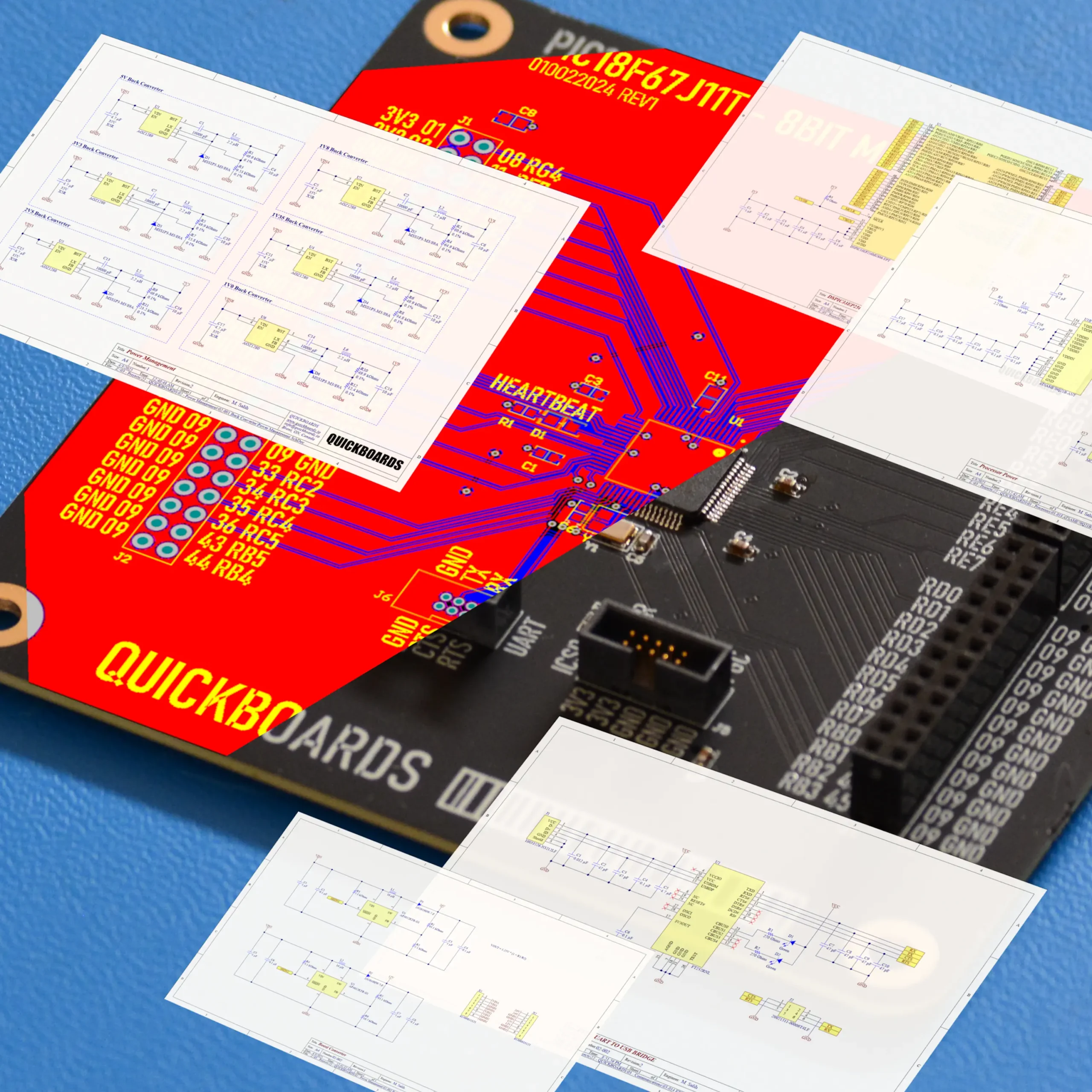

The Quickboards Workflow: From Idea to Schematic in 4 Steps
The Evolution of Hardware Design
Traditional electronic design has long been a process of manual reconstruction. Engineers frequently find themselves redesigning common power stages, interface circuits, and microcontroller support blocks from scratch for every new project. This method is not only time-consuming but introduces significant “first-spin” risk, where minor oversight in component selection or trace placement leads to costly PCB revisions. Quickboards facilitate a paradigm shift by moving hardware development toward a modular, software-like architecture. By utilizing production-ready, pre-validated sub-circuits, engineers can focus on the unique value of their product rather than the repetitive “plumbing” of hardware design.
Develop hardware at the speed of software.
Download this Altium Schematic and hundreds of other subcircuits from the Quickboards library. Design your next board through modular circuit blocks. Each block contains Schematic + PCB Layout + Firmware, built to IPC standards for zero re-spins.
The following four-step workflow outlines how to transition from a conceptual block diagram to a finalized, high-integrity schematic using the Quickboards library.
Step 1: Search and Selection
The design process begins with identifying the functional requirements of your system. Instead of searching for individual components and spending hours deciphering datasheets, search the Quickboards library for functional blocks using the available parameters. Whether your design requires a 5V to 3.3V Buck Converter, a USB-C PD Interface, or a specific ARM Cortex-M4 Microcontroller environment, each block is categorized by its primary function.
During this stage, engineers evaluate blocks based on standardized performance metrics and lifecycle status. Quickboards prioritizes long-lifecycle components to ensure that once a block is integrated into a commercial product, it remains manufacturable for years to come. Engineers can review the selected passives, filters, and pull ups to ensure the block meets the specific requirements of their application.
Step 2: Copy and Drop Integration
Once the appropriate modular blocks are identified, the next step is the physical integration into your Electronic Computer-Aided Design (ECAD) environment. Quickboards provides these blocks in industry-standard formats compatible with tools like Altium Designer, KiCad, and Eagle. Rather than placing individual pins and drawing every net, the engineer “drops” the entire sub-system into the schematic.
Each block is more than just a collection of symbols; it contains embedded metadata including Manufacturer Part Numbers (MPNs), PCB footprints, and 3D models. This ensures that the Bill of Materials (BOM) is automatically populated with vetted components. By using these pre-baked modules, you can eliminate the risk of library footprint errors—which is one of the most common causes of board failure in traditional workflows.
Step 3: Logical Connection and Signal Mapping
With the functional blocks placed on the schematic canvas, the workflow shifts to defining the logical interconnections. Quickboards utilizes a hierarchical design approach, where each block features clearly defined input and output ports. This structure keeps the top-level schematic clean and navigable, even for complex systems with hundreds of components.
Connecting blocks involves mapping signal nets like SPI, I2C, or UART between controllers and peripherals. Because the internal net naming conventions within the blocks are standardized, maintaining signal integrity and logical consistency across the entire design becomes intuitive. For junior engineers, this step serves as a guide for proper signal routing; for senior engineers, it provides a high-level view of the system architecture, allowing for rapid peer review and verification of the system’s logic flow.
Step 4: Layout Synchronization
The final step in the workflow is transitioning from the logical schematic to the physical PCB layout. While many believe the value of a schematic block ends on the page, Quickboards blocks are designed with the physical layout in mind. Each and every blocks include PCB layout which have been manufactured and tested to ensure functionality of the sub circuit, and you can either copy or use this layout as a guide for your application.
When the schematic is synchronized to the PCB editor, the components are often pre-grouped, reflecting the logical organization of the schematic. This significantly reduces the time spent on part placement. By following the “Placement & Trace Logic” documentation provided with each block, designers ensure that the physical implementation maintains the performance characteristics validated during the block’s testing phase. This leads to a “first-spin” success rate that traditional manual designs rarely achieve.
Integrating the Quickboards Workflow into your design
Transitioning to a modular workflow is the most effective way to reduce R&D overhead and accelerate time-to-market. By treating hardware as a series of proven building blocks, engineering teams can eliminate design uncertainty and focus on innovation. This methodology ensures that every project starts from a foundation of industry-standard, production-ready circuitry rather than a blank page.
Skip the tedious research and manual entry. Download the production-ready schematic blocks for your next project directly from the Quickboards Library.